September Developer Update: Campaigns, a New Library, and a Way Back
Alex here, founder of Foldwrap.
The last few weeks of development have focused on what happens once you have more than a handful of banners to manage. Finding the right creative. Remembering which sizes you promised. Getting back to the version a client preferred. Making sure the files you send include the latest changes.
There are some substantial additions in this update, alongside smaller changes you'll notice while editing. Here's what shipped.
Campaigns keep the whole job together
You can now group creatives into a campaign, with the client, brief, due date, and required deliverables alongside the work. Set the ad platform and click-through URL once, and the creatives inherit them. Individual creatives can still override those defaults.
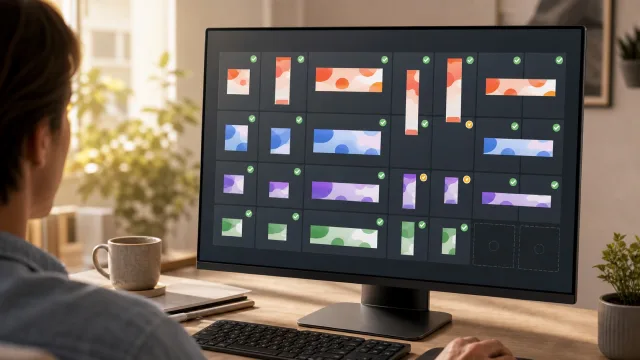
The part I'm most excited about is the coverage grid. It shows which required variants are missing, which are built but haven't been exported, and which exports are current. Edit a creative after exporting it, and the grid flags it for re-export.
That last detail matters when a client changes a headline just before handoff. The banner in the editor may be correct while the ZIP you downloaded earlier is already out of date.
Requirements can be dimensions or named deliverables, so two offers at the same size can be tracked separately. Click a missing dimension to open AI Resize with that target selected.
When it's time to share, there's one revocable client review link for the campaign and one delivery archive containing the exported creative ZIPs plus a manifest. Once the job is done, archive the campaign to clear your working list while keeping its creatives.
I've written a separate guide to the campaign delivery workflow if you want the full walkthrough.
A library that's easier to find things in
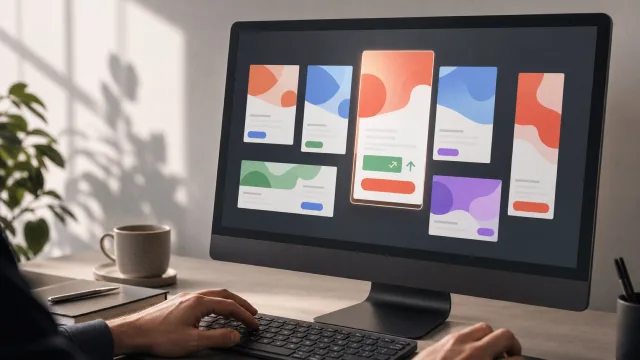
The old flat creative list has become a searchable library, with grid and list views, sorting, and filters. Thumbnail cards make work easier to recognize, with the source, variant count, and dates visible before you open it.
You can rename a creative inline, select several at once, and move a batch into a campaign. The campaign sidebar lets you jump between jobs; Unsorted holds anything you haven't filed yet. You can also file a creative directly from its title area in the editor.
Deletion now moves creatives to Trash, with an undo notification for accidental clicks. Cleaning up the library should feel less like a commitment.
Version history, with a way back
“Can we go back to the previous version?” is now much easier to answer.
Foldwrap records saved changes in a durable version history. Open History beside the save indicator to browse earlier states, grouped into editing sessions. Entries describe what changed, such as a variant being added, renamed, or edited, and highlight removed variants.
You can preview an older version on the canvas and play its animation before deciding what to keep. Restore the whole creative, or bring back just one variant while leaving the rest of your current set alone.
A restore also preserves the state you were working on before it, so you have a way back if you change your mind. Or duplicate an older version into a separate creative to explore that direction alongside the current one.
Name or pin milestones like “Approved concept” or “Before copy changes” to keep them easy to find. Older routine snapshots are gradually thinned, while named, pinned, and key recovery versions are preserved.
AI follow-ups feel more natural
AI editing now remembers recent successful requests within the current editor session. Follow-ups like “make it greener” or “make the other one more subtle” have context from the edits that came before.
The current creative remains the starting point for each request, including any manual changes you've made. Completed AI edits and resizes now autosave automatically too.
More comfortable canvas and timeline controls
The editor has a new canvas toolbar for inserting elements and switching pointer tools, clearer timeline controls, and an improved animation preset picker with live previews. Playback and repeat settings are easier to adjust as you refine the motion.
Image and video nodes also have a Fit control, with consistent behavior in the editor and exported creative. It's a small control that helps when the same media needs to work across very different banner shapes.
If you have an active job in Foldwrap, try filing its creatives into a campaign and adding the deliverables you owe. It's a useful place to start with this release. And if something still makes revision rounds harder than they should be, tell me about it.